Step 1: Unbox Your SogilityGO Kit:
What’s inside:
✅ SogilityGo Board
✅ SogilityGo Light
✅ Charging Cable
Setup Tips:
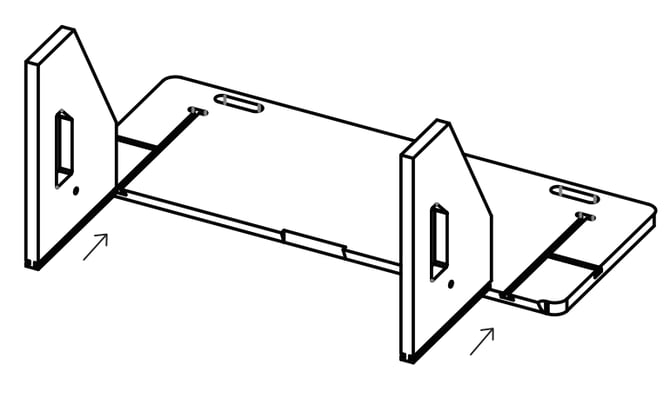
Place your boards on a flat surface, slide the legs into the Rebounder board with the short side up.
Step 2: Insert Impact lights into the rebounder:
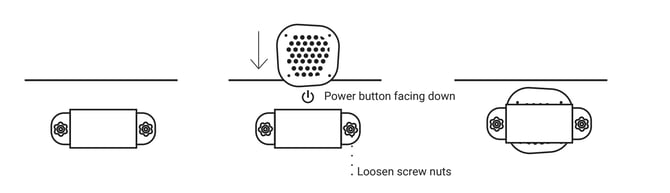
- Loosen the screw nuts without taking them off the screw.
- Slide in the IMPACT light from the top with the power button facing upwards and the white front side facing towards the hole in the rebounder.
- Once the IMPACT light is in position, tighten the screw nuts.
- If you have difficulty putting the IMPACT light in position, take one screw nut off completely.
NOTE: If possible, turn on the IMPACT light before you slide it into the Rebounder. If you cannot turn it on in advance (e.g. because the IMPACT light were previously inserted from a past training), then unscrew the nuts enough to reach the power button.
Step 3: Position the ReboundIQ for its intended use:
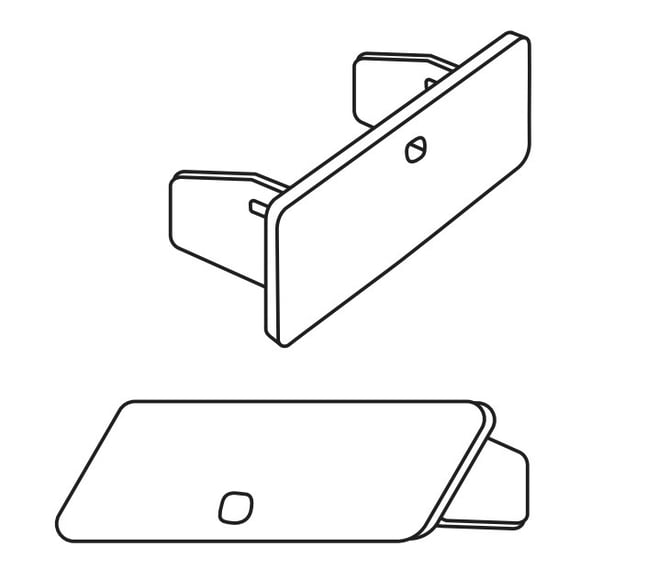
- Ground rebounding: Long side of the legs should be on the ground.
- Air rebounding: Turn the Rebounder around and place it on the diagonal side of the legs.